


"How to Master Excel and VBA So You Complete Financial Models and Data Analysis in Half the Time, Automate Your Workflow, and Jump to the Front of the 'Top-Tier Bonus' Line"
Become a shortcut, formula & formatting machine
Excel will be your “native language” after you finish this course
Learn the skills with dozens of practice exercises
Learn by doing and check your work against the solutions
Shave hours off your workday with VBA and macros
Automate repetitive tasks, format spreadsheets quickly, and more
View short course outline or scroll down for the details
Excel & VBA is the only course on the market at any price that teaches you how to master Excel specifically as it is used in investment banking, private equity, hedge funds, and other finance roles.
You can find endless “Excel courses” online if you do a quick search.
The problem is that most of these courses are generalist training for teaching marketing or HR how to enter their names in Excel or draw cartoon characters.
But if you’re targeting “high finance” roles – investment banking, private equity, or hedge funds – you need a course that focuses 100% on how to use Excel in these highly competitive jobs.
Our Excel & VBA course takes you from the basics of cell and spreadsheet navigation up through automation via VBA and macros – and it gives you plenty of exercises and templates along the way.
To become truly proficient in Excel, you need two things in any course or training program:
1 Plenty of practice exercises and solutions so you can “learn by doing.”
The only way to learn Excel is to watch someone demonstrate the tips and techniques, try it yourself, check your work, and repeat it until you’ve got it.
You can’t just “read” or “watch” your way into learning; true mastery comes from repeated practice, especially when you’re learning the core topics: navigation, formatting, and formulas.
For each lesson in these topics areas, we walk you through the use cases, show you how to use the shortcut or formula, and then ask you to use it in a similar exercise.
You can then check your work against the solution in the video and the Excel files and ask us directly if you have any questions.
2 Example templates, tools, and macros to level-up your productivity.
Once you’ve mastered the fundamentals of Excel, it’s time to enter some “cheat codes” and get even faster with outside tools like the Quick Access Toolbar (QAT) and macros.
These will let you format entire spreadsheets with one command, automatically create a Table of Contents, change decimal places across entire ranges of numbers, and more.
And, even better, you’ll not only get our tools, but you’ll also learn how to write your own code to create your own macros or customize the ones we provide.
You don’t necessarily “need” any of this to work in finance, but if you want to leave the office before 3 AM or minimize your weekend work, it’s a game-changer.
Our Excel & VBA course is designed around these two critical topics.
Sure, there’s a lot of other stuff in the package: separate PC and Mac lessons, practice quizzes, graphs and charts and data analysis, and a certification quiz at the end…
But if you know the fundamentals and the outside tools like the back of your hand, you’ll outperform on the job and get more free time in the process.
What You Get – and What the BIWS
Excel & VBA Course
Will Do for You
When you’re interviewing for internships and full-time jobs at investment banks, private equity firms, and hedge funds, a few questions will come up over and over again…
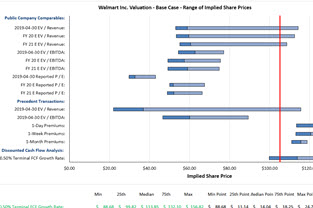
- Can you build a 3-statement model and valuation in Excel?
- Can you review a company’s financial statements and draw some quick conclusions?
- Can you model a potential M&A or leveraged buyout deal?
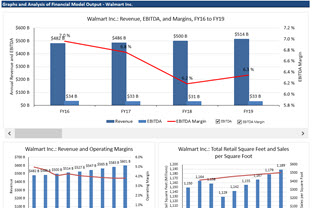
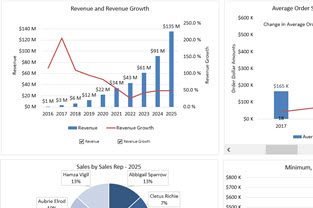
- Can you create graphs and charts to present your findings?
All these questions have one comment element: Excel.
Without deep knowledge of Excel, including the most important keyboard shortcuts and formulas, you won’t be able to do anything above.
Bankers may not test your Excel skills directly, but they’ll always ask how much you know about accounting, valuation, and financial modeling – and Excel is a pre-requisite for all of those.
And after you win your internship or full-time job, a different set of questions will come up on your first day of work:
- Can you put together a list of potential buyers for this company, or update the buyer log for recent conversations?
- Can you analyze this customer data as part of the due diligence process?
- Can you look at this horribly formatted data, clean it up, and then create graphs and pivot tables to highlight the trends?
- And can you build a financial model for this potential acquisition we’re pitching?
In this course, you’ll learn the key Excel skills required for all these tasks – and much more.
The core lessons are based on two case studies: a valuation of Walmart and an analysis of customer data for a client company.
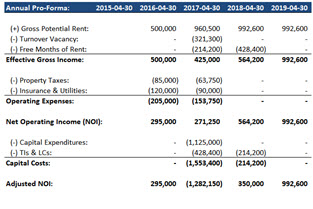
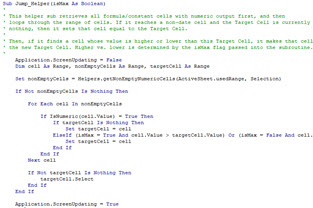
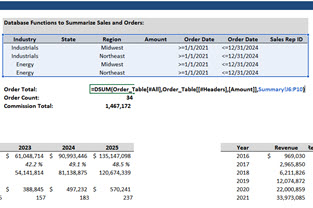
As you complete both case studies, you’ll learn the skills required in each step of the process – from navigation and formatting to formulas, data analysis, charts and graphs, and VBA for automation.
Gain Official Recognition of Your Training
With BIWS Certifications
After completing the course materials, you’ll be eligible to take our challenging Certification Quiz. Once you earn a score of at least 90%, you’ll receive a personalized Certificate of Achievement with your name and the date you passed the quiz:
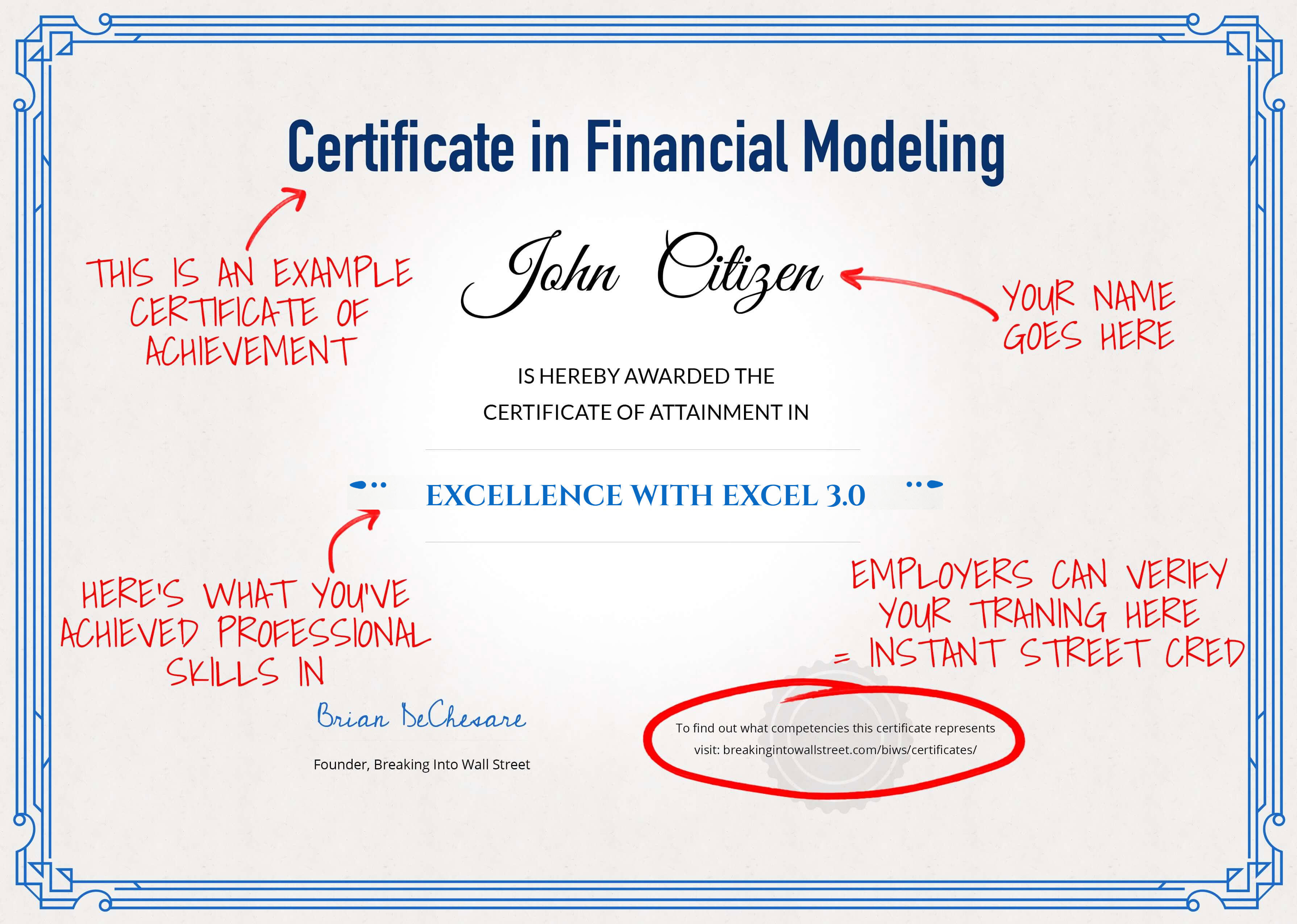
Your Certificate of Achievement can be added to your resume/CV and presented in interviews to set yourself apart from other candidates.
We also make sure employers know how challenging the certification process is: Your certificate will contain a link where prospective employers can review our exams and see the questions you must answer to receive the certification.
Unlike other training companies that “issue certifications,” our process is completely transparent: you can point to the exact questions you had to answer to become certified.
Here’s the Full Run-Down of Everything You’ll Get Immediately After Signing Up…

Module 1: Intro, Setup, and Navigation (Separate PC and Mac Versions)


In this module, you’ll learn how to set up and optimize your system and Excel settings, as well as how to navigate, use the ribbon menu, the format dialog box, and the key shortcuts for working with cells, rows, and columns.
You’ll also learn how to enter formulas, text, and numbers, use absolute and relative references, name and jump to cells, and manipulate worksheets.
 Number of Lessons: 11
Module 2: Formatting and Printing (Separate PC and Mac Versions)


In this module, you’ll learn the key shortcuts for formatting, how to use built-in number formats, and how to use date, time, and text manipulation functions.
You’ll also learn how to clean up data, set up custom number formats, format financial models, and use conditional formatting that changes entire rows based on the contents of individual cells.
The final lessons teach you how to group and hide rows and columns, how to set up freeze panes and split panes, and how to format spreadsheets for printing.
Number of Lessons: 11Module 3: Financial Formulas and Lookup Functions (Combined PC/Mac)


In this module, you’ll learn about the key functions and formulas required for financial modeling in Excel, including logical, arithmetic, and financial functions, as well as lookup functions, INDEX, MATCH, and INDIRECT.
You will practice these functions across several exercises, and you’ll learn how to use array functions, CHOOSE and OFFSET, sensitivity tables, and Goal Seek and Solver for more advanced features.
You’ll also learn how to handle circular references in models, how to audit formulas and find problems, and how to leave comments.
Number of Lessons: 18Module 4: Data Manipulation and Analysis (Combined PC/Mac)


In this module, you’ll learn how to manipulate and analyze data in Excel, including data tables, sorting and filtering, Power Query for importing data from the internet, SUMIFS, SUMPRODUCT, and database functions.
You’ll also learn how to use pivot tables and Power Pivot to slice, dice, and aggregate data according to different criteria, and you’ll practice customizing the tables, creating visualizations, and using Calculated Columns and Measures to build KPIs.
The last few lessons here only work in the PC versions of Excel as of the time of this course because Microsoft had not yet implemented Power Pivot in Mac Excel; however, you can replicate many of these features by creating extra columns in normal data tables.
Number of Lessons: 9Module 5: Charts and Graphs (Combined PC/Mac)


In this module, you’ll learn how to set up charts and graphs in Excel, ranging from the basic line and column charts up through dynamic charts with checkboxes and scroll bars.
You’ll learn how to create charts that are specific to investment banking and finance roles, such as valuation multiple graphs, football field valuation charts, price-volume graphs, and waterfall bridge charts for analysis of companies’ financial results.
You’ll conclude by learning how to create dynamic pie charts and combo charts using INDEX/MATCH and form controls in the Developer Toolbar.
Number of Lessons: 9Module 6: VBA and Macros (Combined PC/Mac)


In this module, you’ll learn VBA and macros by writing your own package of useful Excel macros using concepts such as loops, range and cell manipulation, variables and constants, arrays and dictionaries, and string manipulation.
You’ll create macros for “Input Box” cell creation and the color-coding and printing of financial models, and then you’ll expand on those by writing macros to cycle number formatting, change the decimal places for numbers with different formats, flip the signs, and flash fill right and down.
You’ll also write macros to toggle the error-wrapping of formulas, toggle absolute vs. relative vs. mixed references, go to the min and max of a range, create Tables of Contents, and create Price-Volume Graphs.
Number of Lessons: 16Hear What Our Customers Have to Say About Their Results with Excel & VBA
"Great news, I just got a full-time offer in IB J.P. Morgan in London!! Your courses have been absolutely key in achieving this."

"I managed to get a Leveraged Finance internship offer at BNP Paribas thanks to your Excel & Fundamentals course."

"To make up for my lack of financial work experience I listed Modeling Fundamentals on my resume as I was doing it, with a few highlights of case studies completed. So far it has piqued [the] interest of Lazard in Paris, HSBC in London, among others."

"I have learned more about the technicalities of the industry through these lessons than 1. being a finance major at a reputable college, and 2. having an internship with a boutique investment bank."

"I just wanted you to know that I think your BIWS Excel course is probably one of the most valuable ways [that I] could have spent my time before starting an analyst position at a REIT 5 months ago."

"You are simply the best in the industry. In fact, through the improved efficiency I have gained and noticed by senior management, our company decided to make your course an onboard course for all new analysts."

"I am almost halfway into the completion of the course and I already believe that this is one of the best [decisions] I have made till now for my education."

"Clear and concise explanation of concepts that are sometimes hard to comprehend."

"It's one of the best study materials I have used - not just within investment banking, but among all other materials I have ever used (and I have used a lot for different subjects throughout the years)."

"Your product is, by far, the best in the market. I tried a couple of competitors' products as well when preparing for both IB and PE interviews (FOMO of those having the silver bullet I could not find in BIWS I guess...) and there simply is no comparison to the depth, quality, and usefulness of it."

"I have completed a few modules on Excellence with Excel and I love them!"

The BIWS Interactive Learning Portal is Your Roadmap to Fast Understanding and Quick Answers from Our Expert Support Team

Here's a sample video from the Excel & VBA course so you can see for yourself exactly what you'll get:
And here's another sample video:
Let’s Quickly Recap Everything You Get in the BIWS Excel & VBA Course
-
Introductory Lessons on Excel Setup and Navigation: These lessons get you up to speed on Excel, the user interface, the Quick Access toolbar, and how to move around and edit cells, worksheets, and files efficiently.


-
Core Lessons on Formatting and Printing: You’ll learn how to format financial models and data analyses with the right borders, backgrounds, and font colors, and how to prepare your spreadsheets for printing.
-
Core Lessons on Functions and Formulas: These lessons cover formula entry, logical/arithmetic/financial functions, data lookup functions (HLOOKUP, VLOOKUP, XLOOKUP, and INDEX/MATCH), sensitivity tables, and more.
-
Core Lessons on Data Analysis: You’ll learn how to use data tables, Power Query, SUMIFS and SUMPRODUCT, database functions, pivot tables, the internal data model, Power Pivot, and more, so you can find trends in data and highlight the key points.
-
Core Lessons on Graphs and Charts: You’ll learn the techniques to create valuation multiple graphs, price/volume charts for company stocks, waterfall bridge charts, and “football field” valuation graphs – plus, dynamic charts with checkboxes and scroll bars.
-
Core Lessons on VBA, Macros, and User-Defined Functions: You’ll learn everything you need to automate many tasks taught in the earlier parts of the course, such as formatting financial models and preparing them for printing, cleaning up data, and creating graphs and Tables of Contents.
-
Time-Saving Excel Shortcuts: These will work in ANY modern version of Excel (both PC and Mac), and they will save you hours as you use the keyboard for as much as humanly possible.
-
Sample 3-Statement Projection Model and Valuation for Walmart You’ll get an entire 3-statement model and valuation, including segment-by-segment projections, so you can put your Excel skills into practice and use it as a template for future projects.
-
Custom BIWS Macros Package: You can import these macros into any Excel file and instantly format your models, change number formats and decimals across large ranges of different types of data, flip the signs of numbers, and modify formulas far more efficiently.
-
Separate Coverage of PC and Mac Excel Shortcuts: The first two modules of the course have separate PC and Mac lessons so that you learn the key shortcuts on your preferred system – without wasting time learning commands you’ll never use.
-
8 Detailed Written Guides: These summarize all the lessons in the course, the most important keyboard shortcuts, formatting best practices, the top formulas, and techniques for graphs and charts, data analysis, and VBA and macros.
-
70 Practice Quiz Questions: Test your knowledge via dozens of in-video and end-of-module quiz questions in the course, covering everything from Excel setup and shortcuts to advanced formulas and VBA. You also get the full answers and explanations.
-
Certification Quiz: Pass the challenging end-of-course Certification Quiz (60 questions total) with a score of 90%, and you’ll receive a Certificate of Achievement that you can add to your resume/CV and present in interviews.
-
Instant Access when you sign up because everything is delivered online - no shipping charges or trips to the post office.
-
Free Updates and Expert Support. And much, much more...



Plus Expert Support From Experienced Investment Bankers

Just moments after you enroll, you’ll receive Instant Access to the entire Course.
Everything is digital, so you do not have to wait for physical products to arrive in the mail, and there are no shipping charges.
But that’s not the best part.
The best part is 365-day-per-year expert support, for a full 5 years after purchase!
If there’s anything at all you don’t understand, just go to the “Question/Comment” area below each and every lesson, and ask your question there.
These comments are monitored and responded to by our expert support team – every one of whom has personal experience working on deals at investment banks, private equity firms, and/or other finance firms.
So you’ll actually get responses from people with deep experience in the field.
This personalized, expert support is one of the things that sets Breaking Into Wall Street apart and gets you to your goals faster.
You will often learn just as much from reading other students’ questions, and our responses, as you will from the lessons themselves!
Our 1-on-1 coaching rate is $200+ per hour. But when you invest in the BIWS Excel & VBA course, personal support is included for FREE.
NOTE: There are some limitations to these support services. For example, we cannot complete presentations, case studies, or homework assignments for you.
We also cannot provide play-by-play support with an earpiece during interviews.
Finally, we cannot answer questions about topics not covered in the course, such as how to value insurance companies or how to write C or Python code if you interview for software engineering positions.
We’re happy to answer career-related, qualitative, and technical questions that are related to the course materials.
So, What’s Your Investment in the Excel & VBA Course?
To put this in context, let’s look at your Return on Investment in this course…
The pay for entry-level investment banking jobs varies from year to year, but it’s safe to say that even entry-level Analysts earn between $150,000 and $200,000 USD right out of university.
At the MBA level, that climbs to $300,000 to $400,000 USD. And as you progress, your total compensation only gets higher and higher; top bankers earn 7 figures annually. And every top banker had to start at the entry level and get their foot in the door, just like you today.
Compared with the potential upside, the enrollment fee for this course is nominal:
Your investment in the full Excel & VBA course (including ALL of the valuable content and training detailed above) is just
$197.
Here’s how you can think of that course enrollment fee:
- If you tried to learn everything here by yourself instead, it would take you at least 50-60 hours – and you’d have no one to check your work or answer your questions. Even if you assume a rate of only $10 per hour, self-study would cost you at least $500 – $600 worth of time.
- Once you’re in investment banking, you might be working on a financial model at 3 AM and suddenly realize that you can’t fix a formatting problem or get a formula to produce the correct results…
Leave in that kind of error, and you’ll hear all about it in your year-end review – it’s a competitive field, and everyone else is hyper-attentive to detail.
Bonus tiers for Analysts can be $5,000 to $10,000 USD apart – so simple formatting errors, added up over time, could actually cost you $5,000 to $10,000.
Or, you could just sign up for Excel & VBA and prevent all that from happening.
By doing so, you:
- Save yourself potentially hours each day – worth $30,000+ at annual
compensation of $150,000, or $40,000+ at yearly compensation of $200,000. - Get training that would normally cost you at least $500 – $600 in opportunity cost,
and likely far more than that. - Avoid the key pitfalls that might cost you $5,000, $10,000, or more in lost earnings
from your year-end bonus. - And significantly improve your chances of winning jobs that pay $150,000 –
$250,000 or more per year, even when you’re first starting. That’s a 760x –
1,260x return on investment!
There is simply no other way to get this level of training… this level of support, help, and troubleshooting on demand… this level of testing and practice… and this level of access to a community of thousands of peers…
…at ANY price!
To date, over 56,763+ people have invested in BIWS training and gone on to secure lucrative and stimulating jobs in the industry. I want you to be next, and I want to make this a “no-brainer” decision for you.
So, just in case you’re not absolutely convinced that Excel & VBA is for you, let me remove any last shred of risk. You’re completely covered by our unconditional 90-Day Money-Back Guarantee:
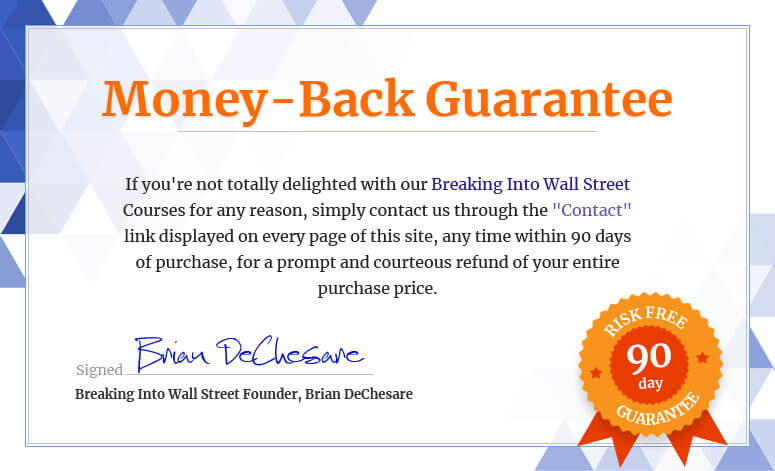
The 90-Day “Total Delight” Money-Back Guarantee
Some people question why we offer this guarantee at all… but we believe in the product, and the sheer volume of customer success stories we’ve received tells us we’re making a difference and doing something right.
So, here goes:
Excel & VBA comes with an unconditional Money-Back Guarantee – valid for 90 days from your date of purchase.
That’s right – take 90 days to evaluate everything inside the course… take all the training… ask support questions… and if you’re not 100% satisfied, or otherwise don’t believe this is for you, simply contact us via the “Contact” link displayed on every page of the site and ask for your money back.
You’ll receive a prompt and courteous refund.
Some people think we’re crazy to offer such a strong guarantee.
“Wait,” they say, “won’t people rip you off if you’re so generous?”
Actually, we’ve found the opposite to be the case.
This guarantee is proof that we back this course 100%, AND that we’re committed to making sure you have a great experience over the long term.
We either perform for you, or you get your money back. That’s how it should be.
Here’s What Will Happen Within Minutes After You Sign Up
After you sign up, you’ll have immediate access to the full course contents, including all the videos, Excel files, written guides, quizzes, support, and more.
That includes:
This is the most comprehensive and practical finance-specific Excel training around, at the best price, with the best support, and with the best guarantee. This is as risk-free as an offer can come.
In fact, the ONLY risk is that you might go into your internship or full-time job without having taken this course – but your new co-workers all have.
The next move is up to you.
You can hope that an investment bank hires you and doesn’t care about your Excel skills or how well you can work with financial models and other spreadsheets… good luck to you there.
OR you can confidently tell banks you’ve invested in the only dedicated training program on the market that teaches you how to use Excel and VBA in the finance industry, based on real models, valuations, and due diligence analyses – authored by experienced investment bankers who have worked on dozens of deals.
I know you’ll make the right choice.
To YOUR success,

Brian DeChesare
Breaking Into Wall Street Founder
P.S. If you’re looking to gain an edge in your interviews, during your summer internship, or even during your first few years in IB, PE, or hedge funds, this course will give you that edge.
It gives you everything you need to master Excel navigation, formatting, formulas, graphs, data analysis, VBA and macros, and more – without spending 2-3 years on the job first.
Nothing beats live deal and investment experience, of course, but this course is the next best thing. Enroll now, and you’ll have access to everything in just a few short minutes.
Installment Plans Available (Pay in 4 Monthly Installments)
Get Instant Access To Excel & VBA
ADD TO CART
100% Unconditional Money-Back Guarantee