


"Here's How to Become a PowerPoint Pro So You Complete Slides in Half the Time, Automate Your Workflow, and Earn Top-Tier Bonuses"
Become a presentation machine
Master the key shortcuts and commands for “warp speed” slide creation
Acquire the skills with dozens of practice exercises
Learn by doing – and check your work against the solutions
Save hours with our full macro package (25+ macros)
Automate formatting, tables, alignment, drawing guides, and more
View short course outline or scroll down for the details
PowerPoint Pro is the only course on the market at any price
that helps you master PowerPoint specifically as it is used
investment banking, private equity, and other finance roles.
Do a quick search online, and you’ll find endless “PowerPoint courses.”
But most of these courses are intended for people who want to draw cartoon characters or graphics designers making cat memes.
There’s nothing wrong with that, but if you’re targeting high-paying finance jobs, you need a course that focuses 100% on how to use PowerPoint in these competitive careers.
Our PowerPoint Pro course takes you from the basics of shapes, slides, and formatting up through automation via VBA and macros – and it gives you dozens of exercises and templates along the way.
To become truly proficient in PowerPoint, you need three key elements:
1 Plenty of practice exercises so you can “learn by doing.”
The only way to learn PowerPoint is to watch someone demonstrate the commands and shortcuts, try them yourself, check your work, and repeat the task until you’ve got it.
You can’t just “read” or “watch” your way into proficiency; you need repeated practice, especially when you’re learning the core topics: shapes, slides, alignment, distribution, and formatting.
In every lesson of the course within these “core topics,” we walk you through the shortcuts, show you a few examples, and then ask you to complete an exercise.
You then check your work against the solution in the video and the “finished” PowerPoint file and ask us directly if you have any questions.
2 Macros and automation tools to level up your productivity.
Once you’ve mastered the fundamentals of PowerPoint, it’s time to enter the “cheat codes” and get even faster with tools such as VBA and macros.
The full macro package in this course includes 25+ custom commands that will help you do everything from stacking shapes to copying and pasting table formats to distributing and fitting shapes to tables.
Plenty of companies would sell this macro package separately for $100 or $150 – but it’s yours for free after you sign up for this course.


The VBA lessons in the course show you how to build most of the package yourself.
But if you don’t want to learn VBA, no problem – because Module 5 of the course includes a dozen exercises that show you how to use these macros to create the key slides in a real-life pitch book more efficiently.
3 Real presentations from banks and editable templates.
Practice exercises, tools, and workflow automation are all nice, but they don’t mean anything unless you can use them to get results in real life.
With that in mind, we created a presentation database with links to 175+ real pitch books and slide decks from banks:

You get the entire presentation list, sorted by bank and industry, plus direct links to the most useful slides in each presentation.
And even better, you also get 50+ editable PowerPoint templates we created based on the most useful slides – so you can save even more time by starting with the right template.
Our PowerPoint Pro course is designed around these three critical topics.
Sure, there’s a lot of other stuff in the package: bonus lessons on images and Word data, practice quizzes, graph and chart tutorials, and a certification quiz…
…but if you know the fundamentals and the automation tools, and you have dozens of templates and reference presentations, you’ll outperform on the job and get more free time.
What You Get – and What the BIWS
PowerPoint Pro Course
Will Do for You

When you start an internship or full-time job at an investment bank, private equity firm, or hedge fund, you’ll get a few common tasks repeatedly, starting in week 1 on the job…


- Can you draft a profile of a potential buyer or acquisition target?
- Please create a few slides assessing this potential investment opportunity and explain the additional due diligence we need to conduct.
- Can you work on a stock pitch and present 5-10 slides on your idea to the investment committee?
- Can you work on a stock pitch and present 5-10 slides on your idea to the investment committee?
- We’re pitching a potential client in a few days. Can you fire up PowerPoint and draft a sell-side M&A pitch book?
To complete these tasks, you must understand both the structure and the mechanics of presentations.
You’ll master both with the 78 lessons in the PowerPoint course, which take you from the very basics – creating a simple “Executive Summary” slide – all the way up through VBA and macros.
The core lessons are based on a case study of a sell-side M&A / valuation pitch book for Jazz Pharmaceuticals, where you present your valuation of the company and recommend a specific deal process using charts, graphs, and other visuals.
You’ll wave goodbye to “boring blocks of text” and say hello to “snazzy table and image-based slides.”
We take slides from real bank presentations, such as this one from Lazard:

And we show you how to recreate them in PowerPoint:

The core modules focus on the building blocks of presentations: shapes, lines, alignment/distribution, text, tables, images, Excel/Word data, and graphs and charts.
Once you understand how to build individual slides, you’ll take a step back and learn about “the bigger picture”: how to set up entire presentations and use tools like the Slide Master and custom layouts to make reusable templates.
You’ll get a lesson and a practice exercise for each concept, and you’ll also get links to 175+ real presentations from banks so you can apply your skills to real life.
Even better, you’ll also get 57+ editable templates based on these presentations, so you can start using the slides immediately.
Finally, you’ll learn about tools like VBA and macros to automate your work and eliminate repetitive tasks.
It’s just like the macro packages that the large banks all use, but this one is completely free once you sign up for the course.
These macros will help you automate tasks such as:
- Setting and applying “format cycles” so you can easily format multiple shapes by setting up references at the start of your presentation.
- Matching the shape type, size, and format in a selection so you can save time standardizing layouts and slides.
- Stacking shapes vertically and horizontally (annoying to do manually).
- Making Drawing Guides much more usable, including macros to add and delete multiple Guides and align and distribute shapes within these “invisible” Guides.
- Distributing shapes in a perfect grid – no manual work or rulers required!
- Distributing smaller shapes within bigger ones – this sounds simple, but it’s impossible with only the built-in commands.
- Inserting Harvey Balls, Calendars, and Tables of Contents so you don’t have to waste time futzing around with random templates you find online.
- Turning shapes into tables and tables into shapes, copying table formatting, and distributing shapes over tables – a life saver for company profile slides!


You can find some of these functions in high-end PowerPoint macro packages, many of which charge subscription fees…
…or you could just purchase this course and get it all for free.
Plus, once you finish the entire course, you’ll be able to prove your knowledge by completing the certification quiz. You can add the certificate to your resume/CV or LinkedIn profile directly via the link you’ll receive:

Take a Look at What You’ll Get
Immediately After Signing Up…
Module 1: PowerPoint Setup, Shapes, And Slides


In this first module of the course, you’ll get a crash course on how to set up PowerPoint properly with the Quick Access Toolbar (QAT) and how to use the ribbon menu, Windows shortcuts, and key commands for alignment, distribution, and formatting.
You’ll also learn about copying and pasting shape formats, duplicating shapes, using default shapes, grouping and ordering shapes, setting up grides, rulers, and drawing guides, and using “Ninja Lines” to accomplish otherwise-impossible alignments.
If you have time for nothing else in this course, you can gain a big advantage in PowerPoint speed and efficiency simply by completing this first module.
 Number of Lessons: 12
Module 2: Text and Table


In this module, you’ll learn about additional text formatting and navigation shortcuts and how to adjust features such as the line spacing, tab stops, and bullet points to create columns and separation within textboxes.
You’ll also learn how to insert and format tables, merge and split cells, distribute rows and columns, and use tables to make plain text look more interesting; the last lesson here presents an exercise involving Ninja Lines, tables, and shapes that requires proficiency with everything taught in this course so far.
Number of Lessons: 7Module 3: The Slide Master for Templates and Styling Standards


In this module, you’ll learn how to use the Slide Master to create “Layouts” (templates) for different types of slides and how to use it to set up headers, footers, slide numbers, formatting guides, and company logos.
You’ll also learn about the key drawbacks of the Slide Master, including common formatting problems, and you’ll get an introduction to the structure of investment banking pitch books and tutorials on Sections and viewing modes (the Slide Sorter View, Reading View, Outline View, and more).
Number of Lessons: 9Module 4: Inserting Excel Models, Charts/Graphs, Images, and Word Data


In this module, you’ll learn how to insert Excel models, charts/graphs, images, Word data, and custom objects such as maps into PowerPoint; you’ll also learn how to create and format charts natively in PowerPoint without an external Excel file.
Focus areas include the most common investment banking-style graphs, such as peer benchmarking analyses and “football field” valuation summaries, and how to find, format, align, and distribute company logos for slides with potential buyers and sellers.
Number of Lessons: 8Module 5: Shortcut and Macro Practice Exercises to Create the Remaining Slides


In this module, you’ll complete practice exercises to finish the remaining slides in the Jazz Pharmaceuticals presentation using a combination of built-in PowerPoint commands/shortcuts and the macro package from Module 7.
You’ll learn how to combine graphs and tables, how to fix Excel formatting issues, and how to create more complex slides with timelines, SmartArt, and connector lines that join together different shapes and diagrams.
Number of Lessons: 12Module 6: Bank Pitch Book Database and Editable Slide Templates


In this module, you’ll get a database of 175+ real bank presentations hosted on the sec.gov website across different industries and deal types, you’ll learn how to use it and find new presentations, and you’ll get a set of 50+ editable slide templates based on many of these presentations.
Number of Lessons: 3Module 7: Outside Tools, Add-Ins, VBA, And Macros (Full VBA Course)


In this module, you’ll get a crash course on VBA and macros in PowerPoint, and you’ll build many of the macros included in the BIWS package provided in this course. You’ll start with the basics, such as a macro to swap two shapes’ positions, and build up to more complex ones involving drawing guides, tables, and objects such as Harvey Balls and Calendars.
Along the way, you’ll learn how to manipulate slides, layouts, shapes, tables, images, and their attributes within VBA, and you’ll test the macros and fix problems.
Number of Lessons: 27Hear What Our Customers Have to Say
About Their Results with PowerPoint Pro
At last count, over 56,763+ students, entry-level professionals, and career changers have used Breaking Into Wall Street to master modeling, win interviews, and break into high-paying jobs in investment banking, private equity, hedge funds, equity research, and more.
Here’s what some of them have to say about their experiences (these are actual unedited email screenshots… a few details have been blacked out to protect customers’ privacy):
"Without this tutorial for I-Banking, I probably would have gotten fired."

"I actually installed your ready-to-use Quick Access Toolbar from the PPT course on the desk and used many tricks you said on the Excel course."

"During the training at the bank for PPT, I found that I already know everything they were teaching with ALL credit to BIWS!"

"You and your team have clearly done a lot of research and significantly enhanced the course! Full marks for the update!"

"Brian broke down the sessions into easily digestible segments that made the learning process smooth and well-paced."

"I honestly now have a drastic and noticeable advantage over my peers because my decks look deal-ready and I'm able to pump them out in ~1/4th of the time that I used to."

"The presentation skills helped me win a court case!"

"I've just started working through the PowerPoint Pro course, but just wanted to let you know that it's been an incredible resource already."

The BIWS Interactive Learning Portal is Your
Roadmap to Fast Understanding and Quick Answers
from Our Expert Support Team

Here's a sample video from the PowerPoint Pro course so you can see for yourself exactly what you'll get:
And here's another sample video:
Let’s Quickly Recap What You Get in the PowerPoint Pro Course…
-
PowerPoint Setup, Instructions, and Course Guides: These lessons get you up to speed on PowerPoint shortcuts, the Quick Access Toolbar (QAT), the user interface, and how to set up your computer for maximum efficiency. You also get 5-, 10-, and 15-hour study plans, so you can fit the training into your schedule.


-
Core Lessons on Shapes, Slides, Alignment, and Distribution: These tutorials cover the most common shortcuts and commands: inserting and aligning shapes, formatting them, grouping and distributing them, and using the grid, drawing guides, and “Ninja Lines” to accomplish otherwise impossible alignments.
-
Core Lessons on Text and Tables: You’ll learn how to make your text look immaculate, including line spacing, tab stop, and bullet tricks, and you’ll learn how to insert and format tables and combine tables and shapes to create slides that “pop.”
-
Core Lessons on the Slide Master and Sections:You’ll learn how to use the Slide Master to create templates for slides, set up formatting guides on the side, and retrofit an existing presentation to use your templates. Plus, you’ll get practice with company profile slides, a Table of Contents, and different “viewing modes” in PowerPoint, such as the Slide Sorter.
-
Core Lessons on Excel, Word, Images, and Maps: These lessons will walk you through the infamous “football field” chart and how to paste in and format other graphs; you’ll also learn how to build charts directly in PowerPoint, how to insert maps, and how to deal with company logos and image transparency/cropping/sizing issues.
-
Slide and Macro Practice Exercises: You’ll get 12 practice exercises in this module for tasks like creating an annotated stock price chart, company profile slides, “strategic alternatives” slides, and more – and you’ll use all the commands and shortcuts in the course and our full macro package to complete these efficiently.
-
Bank Presentation and Pitch Book Templates: Go here to get links to 175+ real presentations from investment banks and other finance firms along with 57+ editable templates based on the most useful slides and presentations.
-
VBA, Macros, and PowerPoint Automation: These lessons will take your PowerPoint skills into “warp drive” as you learn how to automate shape alignment and formatting, make drawing guides even better, and accomplish repetitive tasks like distributing images within tables with the a single click.
-
Time-Saving PowerPoint Shortcuts: These will work in ANY modern version of PowerPoint and will save you hours of time as you use the keyboard for as much as humanly possible. Both PC and Mac lists are provided (note that Mac PowerPoint is missing many features).
-
Sample 51-Slide Sell-Side M&A and Valuation Pitch Book for Jazz Pharmaceuticals: You’ll get an entire presentation that presents valuation data and process recommendations visually, via graphs/charts, tables, and slides that combine tables, graphs, images, and more.
-
Full Macro Package: You’ll get over 25 macros in this package, which you can download, install, and start using the moment you enroll in the course. Some companies would charge you $100 or $200 for this, but you get it for free as part of your course registration.
-
69 Practice Quiz Questions: Test your knowledge and skills via dozens of the end-of-module quiz questions in the course, covering everything from PowerPoint setup to advanced alignment and formatting tricks. You also get the full answers and explanations.
-
Certification Quiz: Pass the challenging end-of-course Certification Quiz (40 questions total) with a score of 90%, and you’ll receive a Certificate of Achievement that you can add to your resume/CV and present in interviews.
-
Instant Access: Get everything right when you sign up, including the macro package, the pitch book database with 175+ examples, and all the training content.
-
Free Updates and Expert Support: Get your questions answered 365 days per year - even on Christmas Day and New Year's.



Plus Expert Support From Experienced Investment Bankers

Just moments after you enroll, you’ll receive Instant Access to the entire Course.
But that’s not the best part.
The best part is 365-day-per-year expert support, for a full 5 years after purchase!
If there’s anything at all you don’t understand, just go to the “Question/Comment” area below each and every lesson, and ask your question there.
These comments are monitored and responded to by our expert support team – every one of whom has personal experience working on deals at investment banks, private equity firms, and/or other finance firms.
So, you’ll actually get responses from people with deep experience in the field – not the clueless high-school temp clutching the “Help Desk” manual.
This personalized, expert support is one of the things that sets Breaking Into Wall Street apart and gets you to your goals faster.
You can often learn just as much from reading other students’ questions, and our responses, as you will from the lessons themselves!
Our 1-on-1 coaching rate is $200+ per hour. But when you invest in the BIWS PowerPoint Pro course, personal support is included for FREE.
NOTE: There are some limitations to these support services. For example, we cannot complete presentations, case studies, or homework assignments for you.
We also cannot provide play-by-play support with an earpiece during interviews.
Finally, we cannot answer questions about topics not covered in the course, such as how to use Google Slides or how to create animations for unicorns or magical jumping cats.
We’re happy to answer career-related, qualitative, and technical questions that are related to the course materials.
So, What’s Your Investment in the PowerPoint Pro Course?
To put this in context, let’s look at your Return on Investment in this course…
The pay for entry-level investment banking jobs varies from year to year, but it’s safe to say that even entry-level Analysts earn between $150,000 and $200,000 USD right out of university.
At the MBA level, that climbs to $250,000 to $450,000 USD – and as you progress, your total compensation only gets higher and higher, with top bankers earning 7 figures annually.
And every top banker had to start at the entry level and get their foot in the door, just like you today.
Compared with the potential upside, the enrollment fee for this course is nominal:
Your investment in the full PowerPoint Pro course (including ALL of the valuable content and training detailed above) is just $197.
Here’s how you can think of that course enrollment fee:
- If you tried to learn everything here by yourself instead, it would take you at least 50-60 hours – and you’d have no one to check your work or answer your questions. Even if you assume a rate of only $10 per hour, self-study would cost you at least $500 – $600 worth of time.
- Once you’re in investment banking, you might be working on a pitch book at 3 AM and suddenly realize that you don’t know how to fix a formatting problem…
Leave in that kind of error and you’ll hear all about it in your year-end review – it’s a competitive field, and everyone else is hyper-attentive to detail.
Bonus tiers for Analysts can be $5,000 to $10,000 USD apart – so simple formatting errors in your presentations could actually cost you $5,000 to $10,000.
Or, you could just sign up for PowerPoint Pro and prevent all that from happening.
By doing so, you:
- Save yourself potentially hours of time each day – worth $30,000+ at annual
compensation of $150,000, or $40,000+ at yearly compensation of $200,000. - Get training that would normally cost you at least $500 – $600 in opportunity cost,
and likely far more than that. - Avoid the key pitfalls that might cost you $5,000, $10,000, or more in lost earnings
from your year-end bonus. - And significantly improve your chances of winning jobs that pay $150,000 – $200,000 or more per year, even when you’re first starting out. That’s at least a ~760x return on investment, and possibly more like a ~1,000x ROI.
There is simply no other way to get this level of training… this level of support, help, and troubleshooting on demand… this level of testing and practice… and this level of access to a community of thousands of peers…
…at ANY price!
To date, over 56,763+ people have invested in BIWS training and gone on to secure lucrative and stimulating jobs in the industry.
I want you to be next, and I want to make this a “no-brainer” decision for you.
So just in case you’re not absolutely convinced PowerPoint Pro is for you, let me remove any last shred of risk. You’re completely covered by our unconditional 90-Day Money-Back Guarantee:
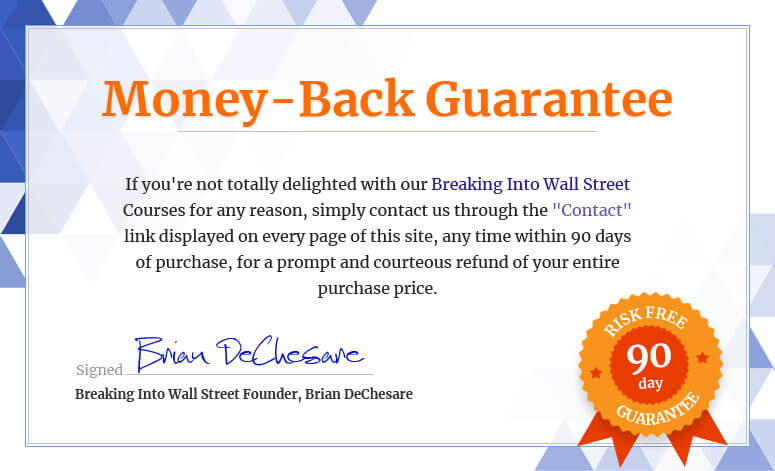
The 90-Day “Total Delight” Money-Back Guarantee
Some people question why we offer this guarantee at all… but we believe in the product, and the sheer volume of customer success stories we’ve received tells us we’re making a difference and doing something right.
So, here goes:
PowerPoint Pro comes with an unconditional Money-Back Guarantee – valid for 90 days from your date of purchase.
That’s right – take 90 days to evaluate everything inside the course… take all the training… ask support questions… and if you’re not 100% satisfied, or otherwise don’t believe this is for you, simply contact us via the “Contact” link displayed on every page of the site and ask for your money back.
You’ll receive a prompt and courteous refund.
Some people think we’re crazy to offer such a strong guarantee.
“Wait,” they say, “won’t people rip you off if you’re so generous?”
Actually, we’ve found the opposite to be the case.
This guarantee is proof that we back this course 100%, AND that we’re committed to making sure you have a great experience over the long term.
We either perform for you, or you get your money back. That’s how it should be.
Here’s What Will Happen a Few Minutes After You Sign Up…
After you sign up, you’ll have immediate access to the full course contents, including all the videos, PowerPoint files, macros, pitch book database, written guides, quizzes, support, and more.
That includes:
This is the most comprehensive and practical finance-specific PowerPoint training around, at the best price, with the best support and the best guarantee. This is as risk-free as an offer can come.
In fact, the ONLY risk is that you might go into your internship or full-time job without having taken this course – but your new co-workers all have.
The next move is up to you.
You can hope that an investment bank hires you and doesn’t care about your PowerPoint skills or how well you can draft slides and presentations… good luck to you there.
OR you can confidently tell banks you’ve invested in the only dedicated training program on the market that teaches you how to use PowerPoint and VBA in the finance industry, based on real bank presentations, valuations, and deal analyses – authored by experienced investment bankers who have worked on dozens of deals.
I know you’ll make the right choice.
To YOUR success,

Brian DeChesare
Breaking Into Wall Street Founder
P.S. If you’re looking to gain an edge in your interviews, during your summer internship, or even during your first few years in IB, PE, or hedge funds, this course will give you that edge.
It gives you everything you need to master profile, slide, and presentation creation – without spending 2-3 years on the job first.
Nothing beats real deal, client, and investment experience, of course, but this course is the next best thing. Enroll now and you’ll have access to everything in just a few short minutes.
Installment Plans Available (Pay in 4 Monthly Installments)
Get Instant Access To PowerPoint Pro
Add to Cart